
 EN
EN
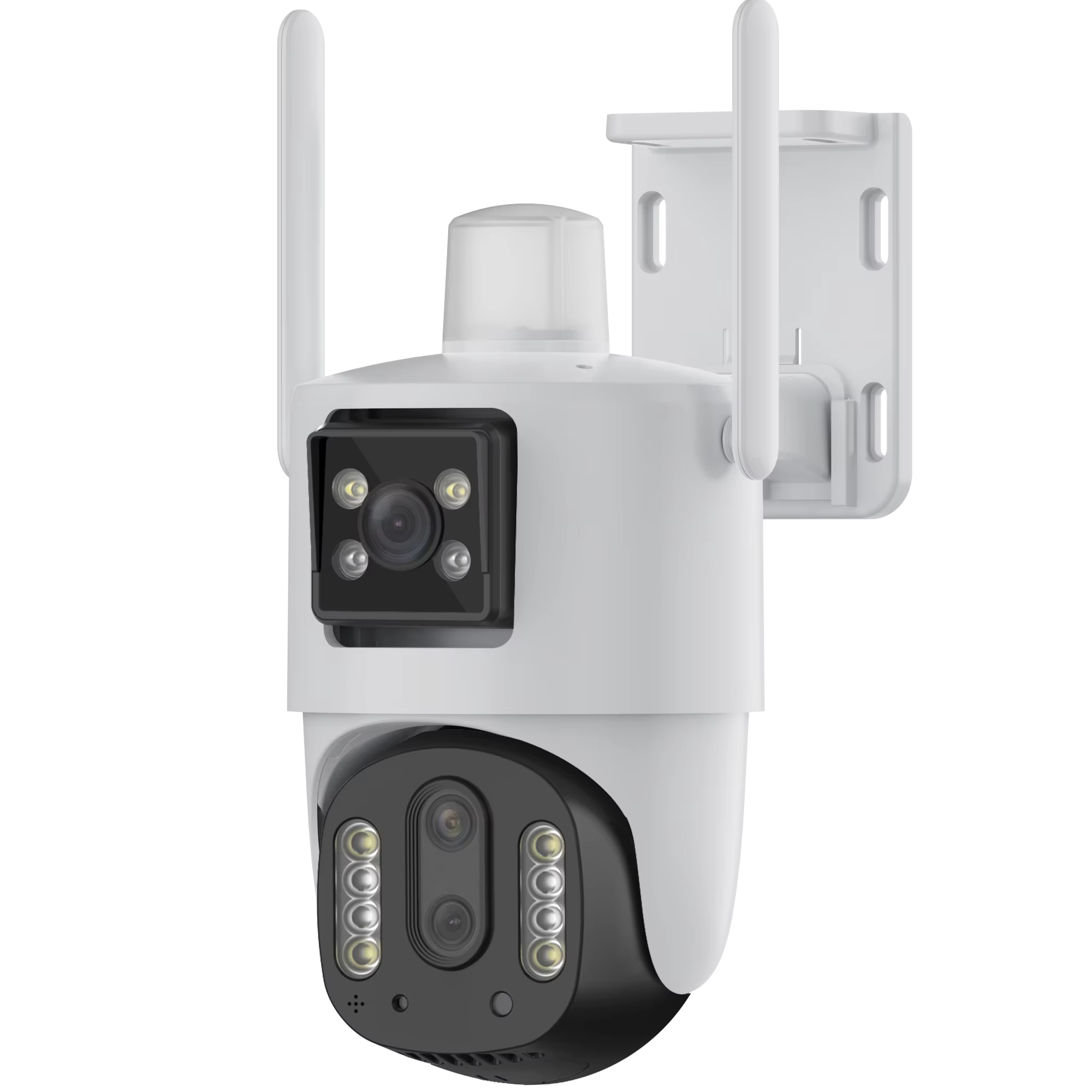
Why a Single Indoor Camera Can Safely Serve Both Babies and Seniors
An indoor camera positioned smartly around the house can keep an eye on both little ones and older relatives at the same time since they face similar safety concerns. When watching over babies, these cameras let parents see what's happening right away during nap times, spotting dangerous sleeping positions or when blankets might be covering their faces. For grandparents, the same device quietly notices when someone takes a tumble - something that happens to about a quarter of seniors every year according to recent studies from the CDC. The best part? These cameras come with settings that let folks maintain their independence while still being monitored. Instead of buying two different systems for each group, families save money overall with this combined solution - cutting down expenses by roughly half compared to separate setups.
Today's tech helps protect privacy through strong encryption methods during data transfer plus clear visual signals when recordings happen. When something looks off track, caregivers get immediate notifications on their phones no matter which age group shows strange behavior patterns, so they can jump in quickly if needed. The way these systems are set up matters a lot too. For older adults, cameras stay out of personal spaces like bedrooms but still watch common areas where falls might occur. Meanwhile, parents can check on babies anytime day or night from anywhere with internet access. A single well-placed camera ends up watching over multiple generations at once while keeping everyone's privacy intact and feeling safe.
Essential Indoor Camera Features for Dual-Purpose Monitoring
Two-Way Audio for Reassurance and Communication
Indoor cameras with two-way audio become much more than just security devices - they actually let people talk back and forth through them. When babies wake up crying at night, parents can comfort them using their own voice instead of rushing downstairs. For older adults living alone, this means they can ask for help when needed or check if they took their pills properly without anyone coming into their room. The ability to communicate verbally in these important situations helps maintain connections without invading privacy spaces. A recent report from Home Safety Council shows that homes with this feature respond to incidents about 30 percent quicker on average. That kind of speed difference matters a lot in emergency situations where every second counts toward better results.
Pan-Tilt-Zoom and Adaptive Night Vision for Full Coverage
The pan-tilt-zoom feature lets one camera follow action around important areas like cribs and armchairs, so no corners get missed in shared living spaces. Pair this with smart night vision that changes how much infrared it sends out depending on how dark it gets, and we have cameras that work well at night without bothering anyone. Why does this matter? Well, studies show that about two-thirds of falls among older adults happen when there's not enough light, and roughly 40 percent of baby emergencies also take place in dim conditions according to the Journal of Home Safety from last year. Some newer systems even include color night vision these days. This makes a real difference because doctors need to see things like pale skin tones or small movements that black-and-white images just can't pick up on.
Privacy, Dignity, and Ease of Use in Indoor Camera Deployment
Non-Invasive Design and Consent-Aware Setup for Elderly Monitoring
Dignity begins with intentional design: cameras should be placed outside private areas like bedrooms and bathrooms, and setup must include explicit, informed consent from the senior user. Visual status indicators and physical lens covers reinforce transparency - addressing 87% of privacy concerns identified in aging-in-place research. Key implementation considerations include:
- Compliance with state-specific audio recording laws
- Customizable privacy zones to exclude sensitive areas
- Granular access controls that limit camera permissions by user role
Intuitive Controls and Accessibility for Caregivers and Aging Users
The right kind of simple interfaces really help close the technology gap between different generations. Think about those bright touchscreen applications that stand out against dark backgrounds, spoken instructions guiding people through tasks, plus those emergency buttons that only need a single press. These features make life easier not just for older adults but also busy family members who take care of them day to day. There are still good old-fashioned physical remote controls around with big easy-to-press buttons as backup when smartphones fail. Some systems even come with automatic sleep settings that stop recordings at certain times so privacy isn't compromised. Interestingly enough, research shows something pretty cool happens too. When elderly folks actually get involved in setting up these monitoring devices instead of feeling watched all the time, about 6 out of 10 families notice real differences in how smoothly things run on a daily basis according to recent studies.
Smart Integration: Apple Ecosystem Compatibility and Multi-User Access
When working with Apple's ecosystem, things just work better for people who need to monitor two different areas at once. The HomeKit feature means live video shows up right on iPhone screens, tablets, even watches, so no extra apps are needed. And those Siri voice commands? Super handy when someone has their hands full watching over a baby or helping out an elderly relative. Family members can also share access without giving away complete control. Grandparents get notified about movement in certain time frames but don't have all the admin rights. According to recent smart home research, these systems reduce setup headaches by around 40%. No more jumping between half a dozen apps either. Looking for cameras that support Apple's encryption makes sense for keeping everything secure. The ability to control camera angles from any device and having nighttime recordings automatically saved to the Photos app means parents and caregivers stay informed without needing tech wizardry.
Frequently Asked Questions
Can a single indoor camera effectively monitor both babies and seniors?
Yes, a single indoor camera can effectively monitor both babies and seniors due to the similar safety concerns they face. Features like two-way audio, pan-tilt-zoom, and adaptive night vision aid in comprehensive monitoring.
How does privacy protection work with indoor cameras?
Privacy protection is ensured through strong encryption methods during data transfer, customizable privacy zones, and informed consent from users, especially seniors.
Are indoor cameras compatible with smart home systems such as Apple's ecosystem?
Many indoor cameras are compatible with smart home systems like Apple's ecosystem, offering features like HomeKit integration and Siri commands for seamless monitoring.